Quartz: building a native, on-device AI email client for Mac

Quartz is our on-device AI email client for Mac. It sorts Gmail into five tiers of importance and drafts replies that match your voice, with every AI feature running locally. We built it as a native Mac app and launched it on Product Hunt, where it finished #4 Product of the Day.
Challenge
AI made it easier than ever to send emails at scale. We think AI should also help people defend their inboxes from that noise.
That was the premise. Cold pitches, drip sequences, and machine-written follow-ups now arrive faster than anyone can read them, and the few messages that need a reply get buried. The obvious response is to put AI on the receiving end: read the inbox, decide what matters, and help write the replies.
Two decisions shaped how we did it.
First, email is deeply personal. It holds contracts, medical notes, statements, and every password reset you have ever requested. Sending all of that to a model in someone else’s data center is a trade we did not want to make, so the AI had to run on the user’s own machine.
Second, email is something people live in all day. We wanted an interface that feels like part of the Mac, with the speed and polish a bundled-browser app struggles to match. Those two choices, on-device AI and a native app, set the constraints for everything that followed.
Approach
A focus-based inbox built on five tiers of importance
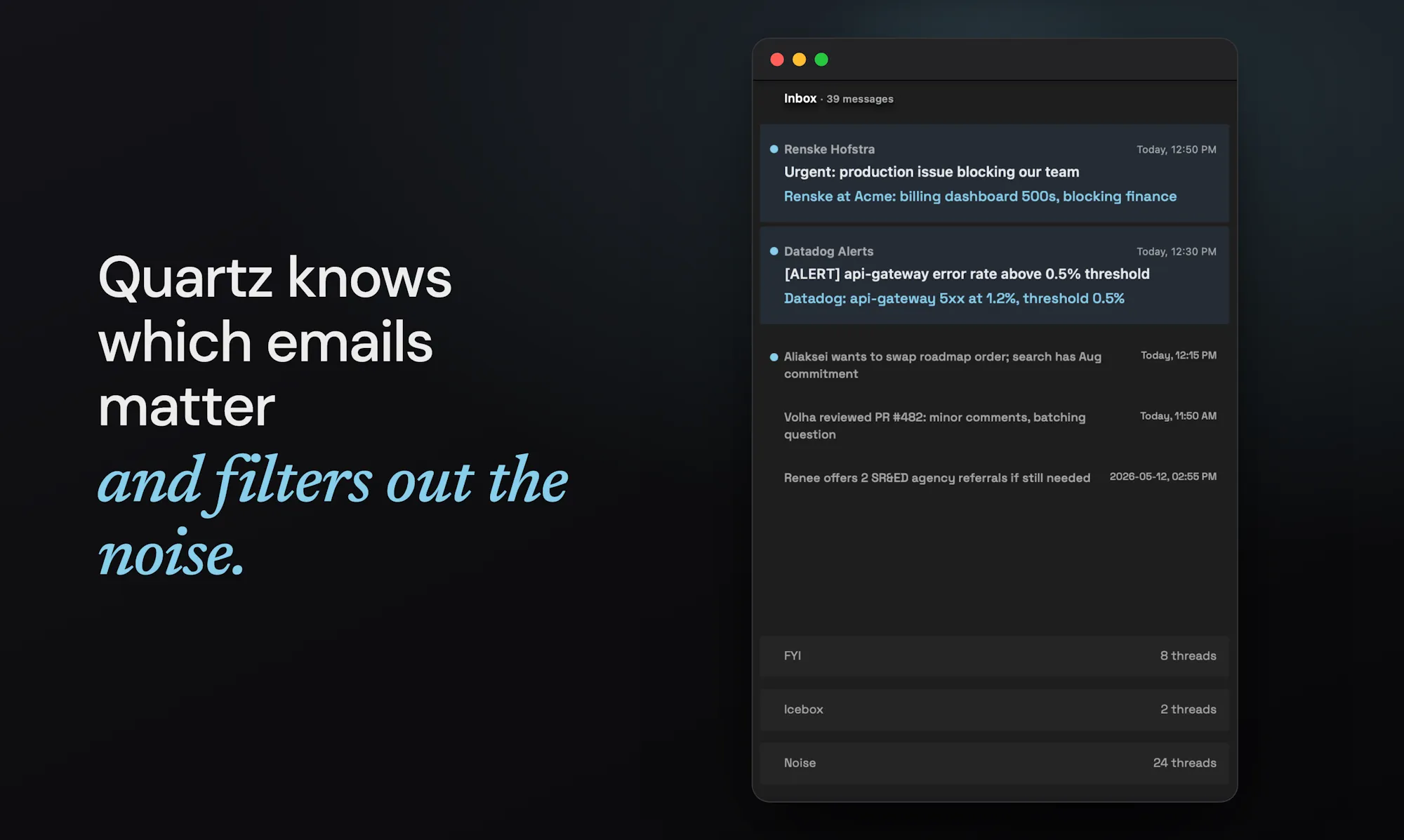
Most clients sort mail by time or by folders. Quartz sorts it by how much of your attention each message deserves. Every message lands in one of five tiers:
- Important: needs you today. Customers, colleagues, outages, anything time-sensitive.
- Inbox: genuine, personal mail that should be visible by default.
- FYI: newsletters and routine notifications worth an occasional skim.
- Icebox: receipts and statements you keep for the record but rarely open.
- Noise: cold pitches and marketing nobody asked for.
The interface follows the same order. Important messages show in full with an AI summary on top. Inbox items compress to scannable one-liners. FYI, Icebox, and Noise collapse to the bottom, present when you want them and out of the way when you don’t. Everything stays one click away. The layout just spends your attention in proportion to what each message is worth.
A native Mac app on Tauri
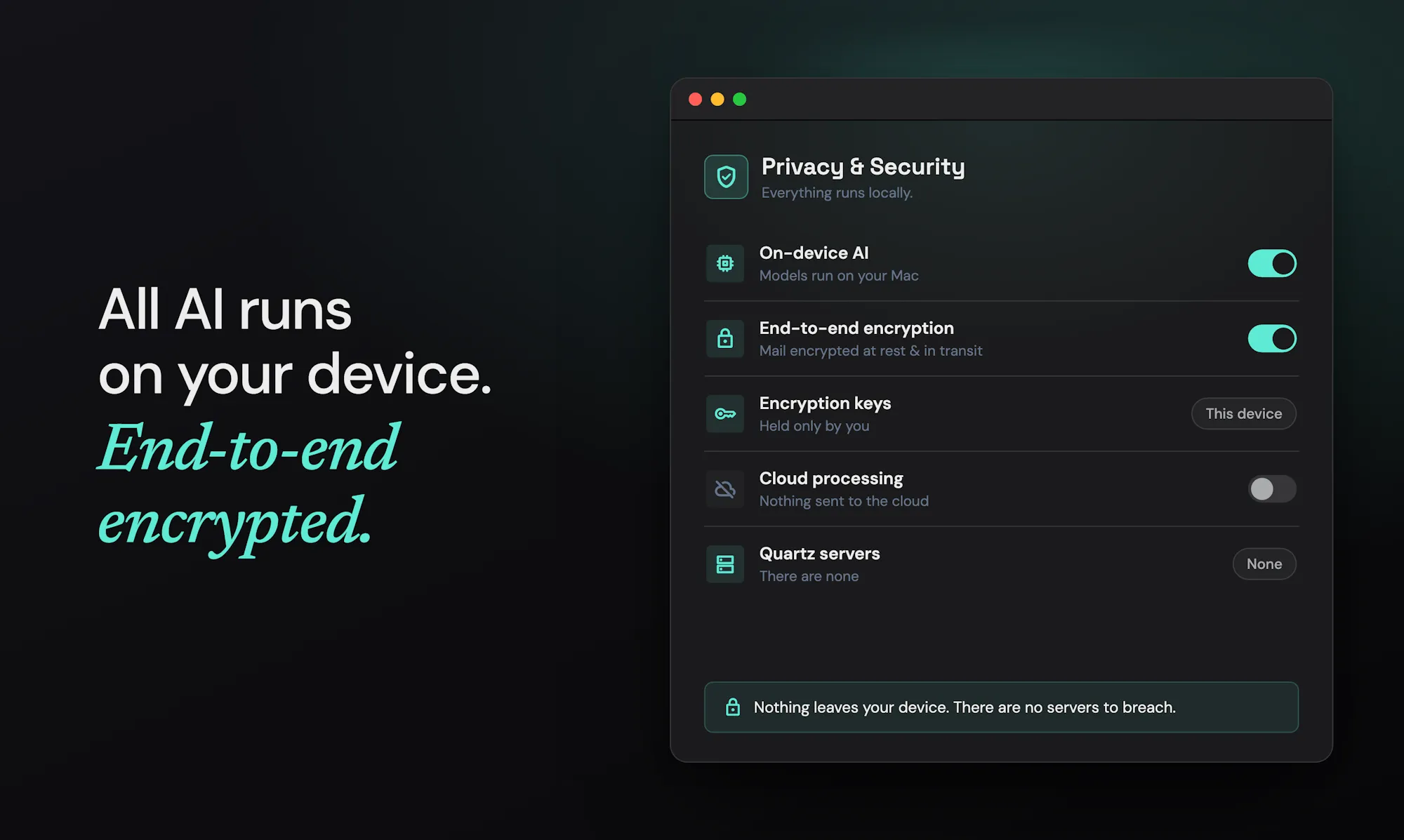
We built Quartz on Tauri, with a Rust core and the system WebView for the interface. That gave us a small, fast binary in place of a bundled browser, plus direct access to the platform: the macOS Keychain, Metal for running models, and native menus and windows.
Building on the device is also what makes the privacy guarantees enforceable. There is no Quartz server. The Rust core holds the encrypted database, the Gmail connection, and the AI runtime, all on the device. Categorization, summaries, and drafting run on Gemma 4, a quantized model executed locally through llama.cpp on Apple Silicon. Mail is stored in SQLite encrypted with SQLCipher, with keys in the Keychain. Nothing is uploaded for AI, so there is no cloud account to breach and no provider reading your mail. Quartz is independently audited and certified under Google’s CASA Tier 2 assessment for apps that access Gmail.
Solving the cold start with a profile and real onboarding
Importance is personal. A recruiter’s email is noise to one person and the message of the week to another. That makes a fresh install hard: on day one Quartz knows nothing about you, and a categorizer with no signal is worse than none.
We solved this cold start in onboarding. New users write a short profile describing themselves and what belongs in each tier: who their customers are, which alerts are urgent, what counts as noise. Quartz turns that profile into the categorizer’s starting rules, so sorting is useful from the first sync, well before the app has watched anyone work. Onboarding handles the rest of the setup, connecting Gmail and downloading the local models, so the app is ready to work the moment it opens.
Categorization the user can teach
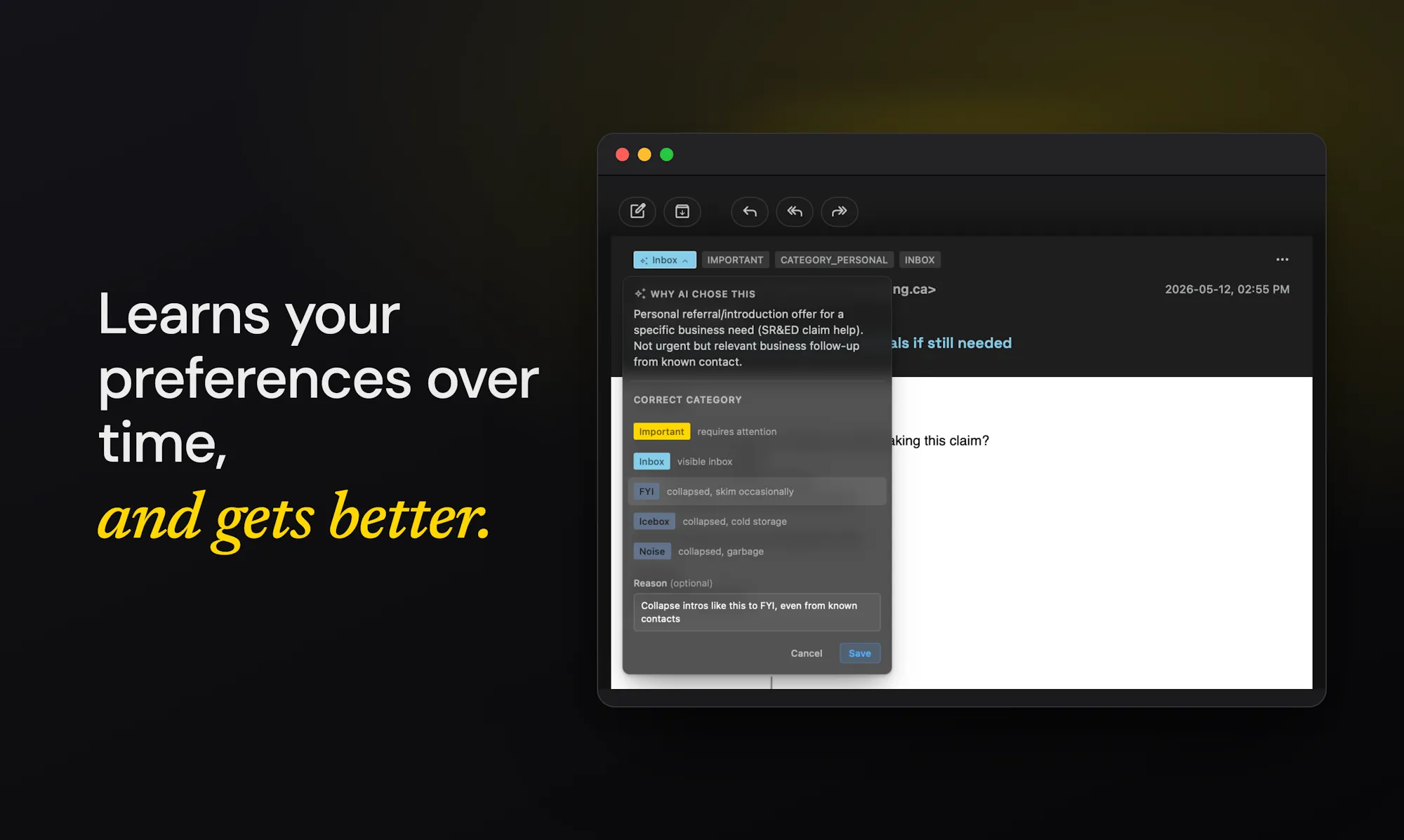
A profile only goes so far. People do not always know their own rules until they see a message filed wrong, so we built a way to correct Quartz and have it learn from each correction.
When you move a message to a different tier, Quartz records the change, embeds it with a local EmbeddingGemma model, and retrieves it the next time a similar message arrives. The model sees how you handled comparable mail before and adjusts. Corrections compound: the more you teach it, the closer the inbox tracks how you actually triage. Because every example stays on the device, this personalization happens without any of your mail leaving the machine.
To know whether the work was paying off, we built an evaluation harness in Rust that grades the categorizer against a set of hand-labeled real emails, scoring each prediction as an exact match, a near miss, or a clear miss. It gave us a number to move as we changed the prompt and the personalization. On that set the local Gemma 4 model climbed from 62% to 86% accuracy as we tuned it, with a frontier cloud model scoring 92% on the same emails: close enough to trust a small on-device model with the inbox.
Drafts that learn your voice
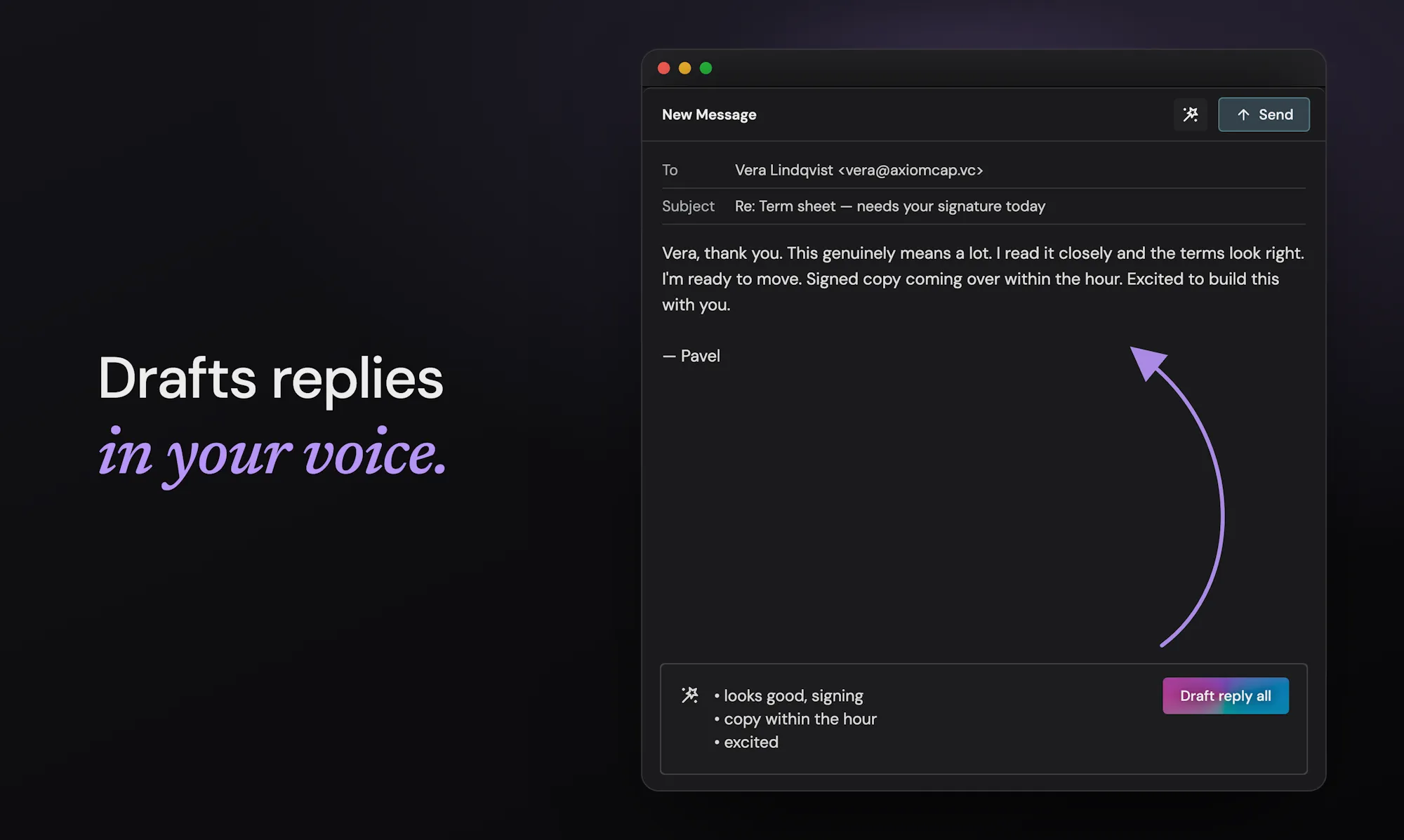
Sorting protects attention. Drafting gives time back. Give Quartz a few bullet points and it returns a reply you can send. The draft draws on three kinds of context: how you write, learned from your own sent mail; your relationship with the sender and their company, so a note to a long-time customer reads differently from a first reply to a stranger; and the thread itself. Like categorization, drafting improves as it sees more of your writing, so replies pick up your phrasing and your level of warmth over time.
Results
Our first Product Hunt launch put Quartz in front of thousands and finished #4 Product of the Day with 269 upvotes and a 5.0 rating.
The launch-day numbers matter less than what came after. Quartz is live and in real daily use: hundreds of people now run it on their own machines to sort their mail, and the on-device, native approach is holding up under real inboxes with years of mail in them.
Quartz is in public beta and free to use. You can download it for Mac today.